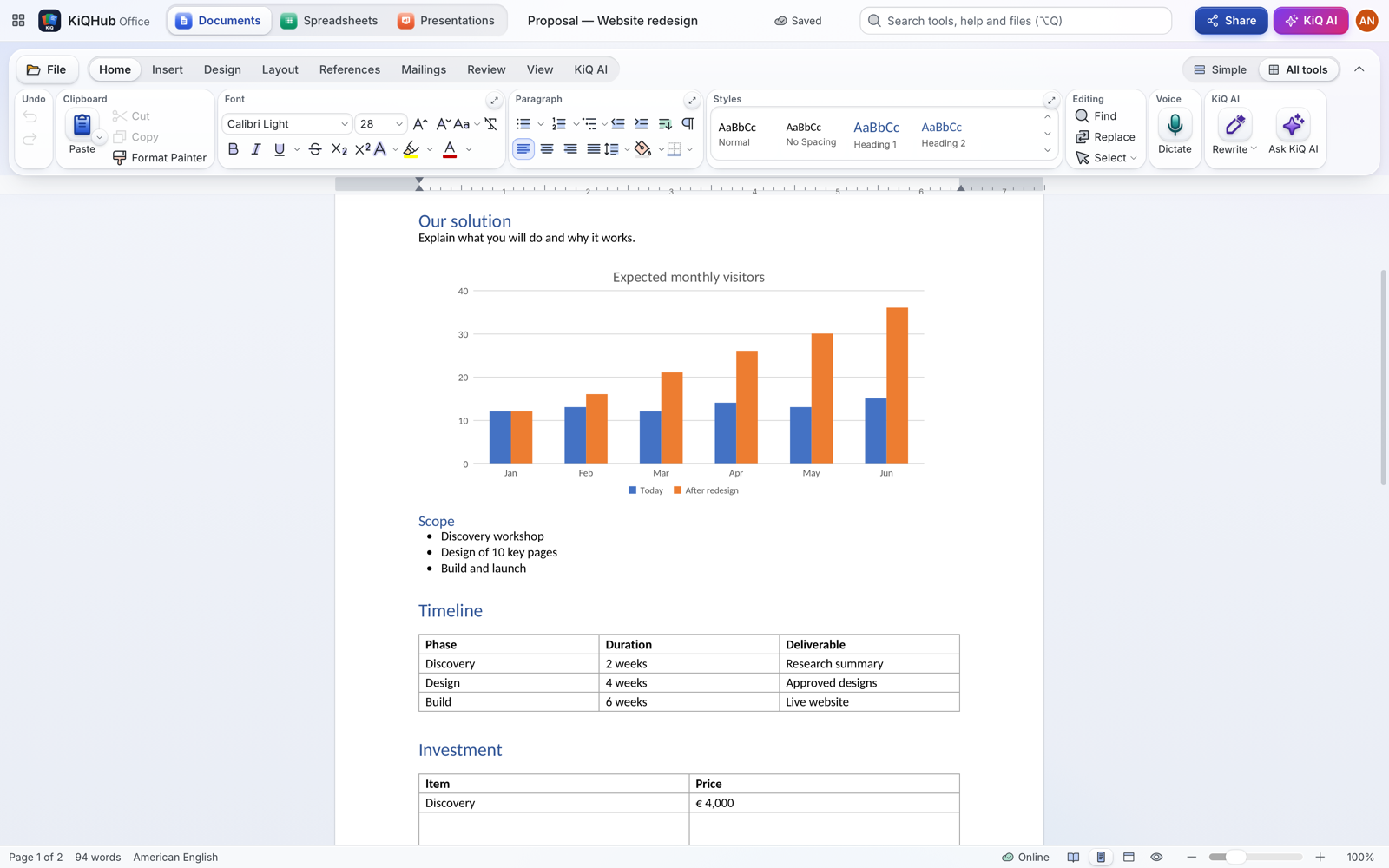
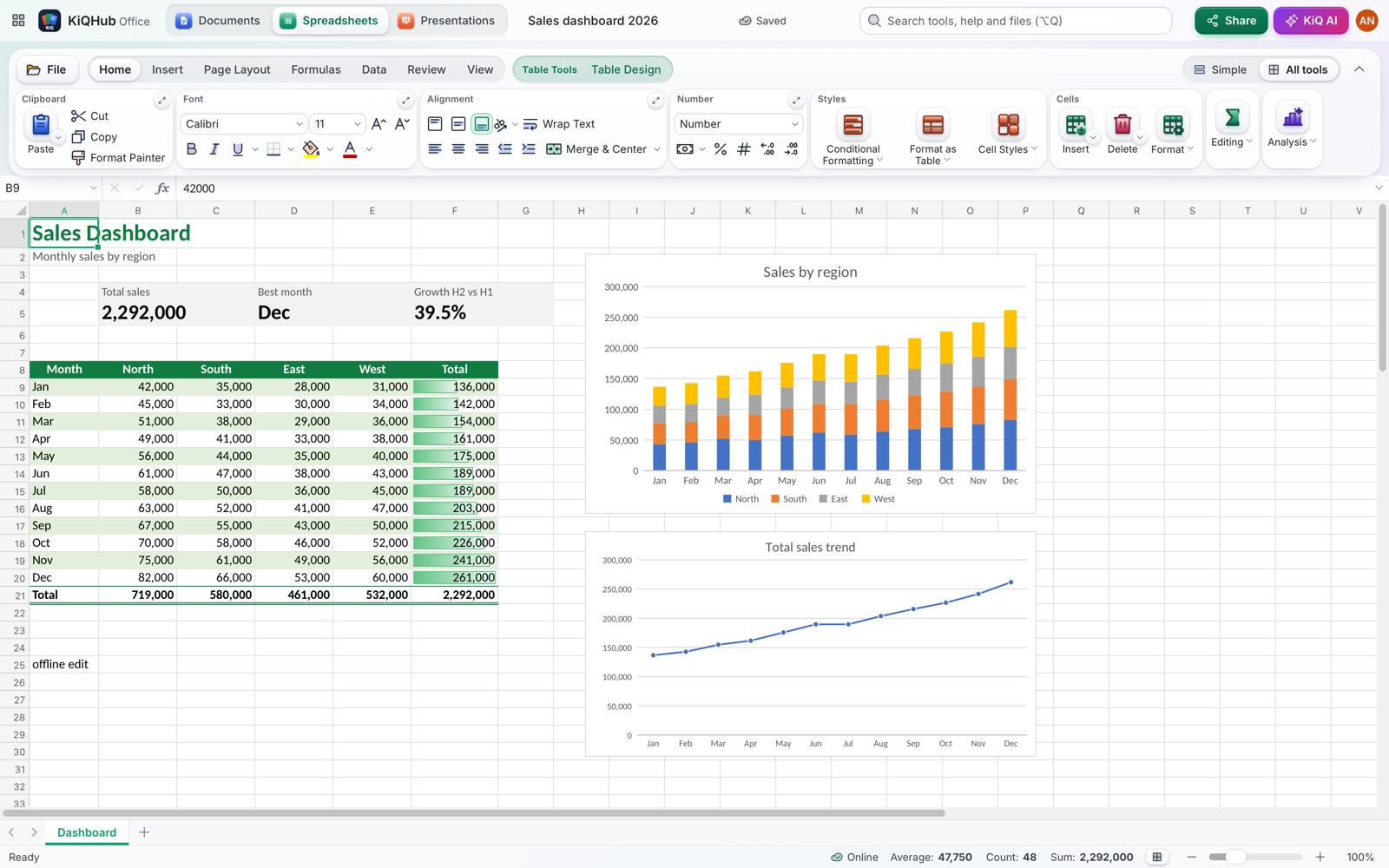
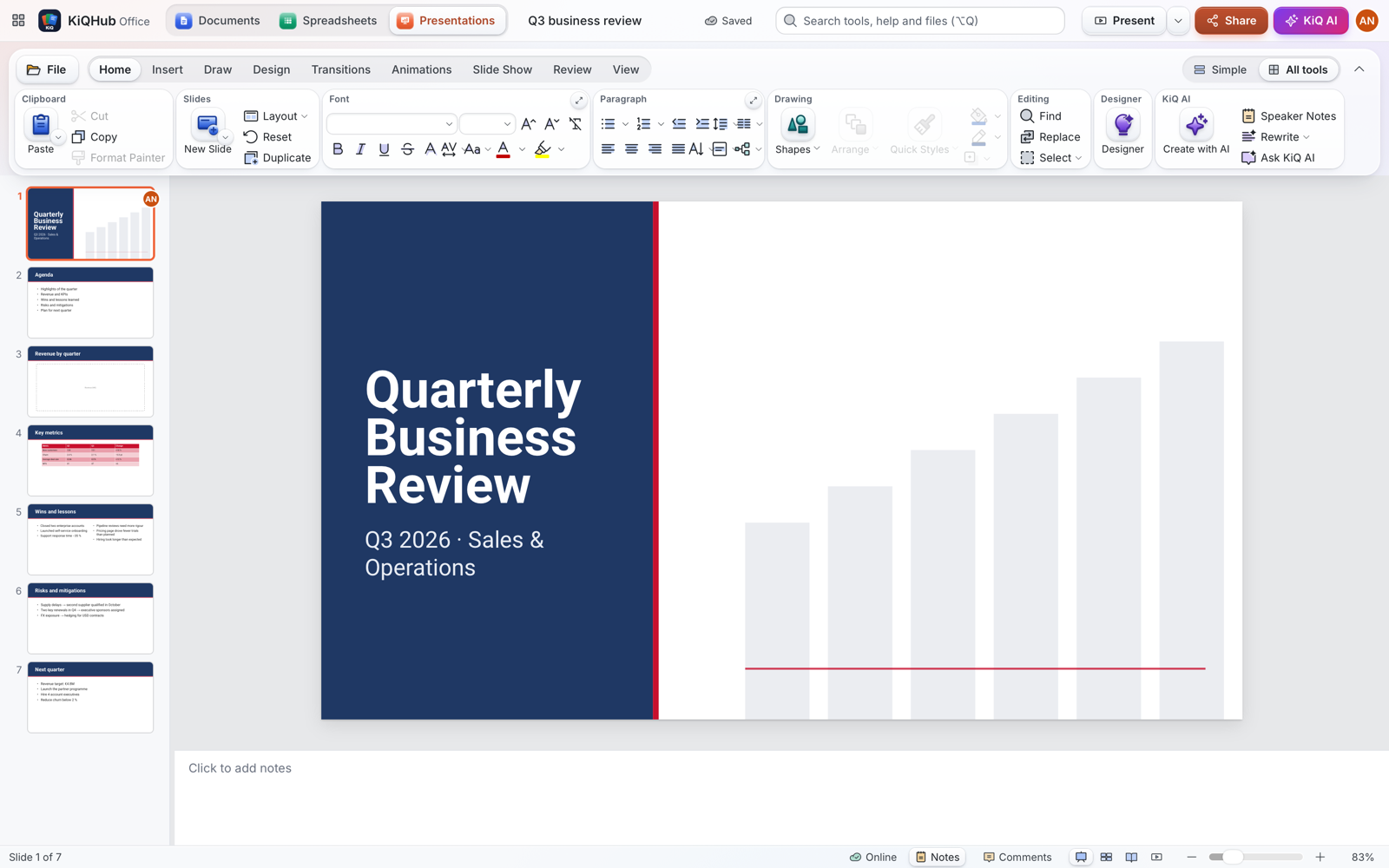
Bring every file you already have.
Drop a Word document, an Excel workbook or a PowerPoint deck on the page and keep working — fonts, styles, tables, lists, images and tracked changes come with it. Apple users are covered too: Pages, Numbers and Keynote files open directly, no conversion step.
When you are done, save a copy in the format the other side needs: .docx, .xlsx, .numbers, .pptx, PDF, CSV or HTML. Pages and Keynote files open here and go back out as Word and PowerPoint files, which Pages and Keynote open.
DOCX
PAGES
XLSX
NUMBERS
PPTX
KEY
→
 KiQHub Office
Feels like home from the first click.
File, Home, Insert, Layout, Review, View — every tool is where your hands expect it, and Simple shows just the essentials until you want more. Ctrl+B, Ctrl+Z, F5, Ctrl+1, Alt+=, Format Painter, Find & Replace — even the Alt KeyTips, so Alt, H, 1 still makes text bold. And if you cannot find a tool, press Alt+Q and type what you want to do.
Questions
Do I need to install anything?
No. KiQHub Office runs in Chrome, Edge, Safari and Firefox. After signing in you can add it to your desktop, Dock, Start menu or home screen so it opens like any other app — KiQHub Office shows you how for your browser.
Will my Word and Excel files look the same?
KiQHub Office reads the formats directly: styles, fonts, tables, lists, images, formulas and slide layouts come across. It ships open fonts that are metric-compatible with Calibri, Cambria, Arial, Times New Roman and Courier New, so line breaks and page counts stay close to the original.
How does offline work?
You decide per device: switch on Work offline and KiQHub Office downloads its engine (about 5 MB) and, if you want, all your files. Without a connection you can open, edit and create files; they are saved on the device and synced when you are back online. The app checks your subscription whenever it is online; offline it trusts the last check for 30 days.
Do I get an email address?
With Pro and Small Business / Family, yes: your own address at @kiqmail.net — on Small Business / Family, one for each of the 3 people. You pick the name (for example anna.nowak@kiqmail.net) in your account and use it in the KiQMail app on iPhone or in any mail app. It stays yours while your plan includes it; if the plan ends it keeps working for 30 days, then it is paused until you renew — your mail is kept. The Personal plan is Office only, without an email address.
Can I save back to Pages, Numbers or Keynote?
Numbers — yes: File › Save As › Numbers keeps every sheet with its values, dates and merged cells. Formulas are saved as their results and cell formatting is not kept, so for a full copy choose Excel (.xlsx), which Numbers opens. Pages and Keynote files open in KiQHub Office, but Apple does not publish those formats, so they cannot be saved in them. Save As gives you Word (.docx) or PowerPoint (.pptx) instead — Pages and Keynote open those with your formatting, and you can keep them as Pages or Keynote files from there.
What happens if my subscription ends?
Your files stay yours: you can still open, read, print and download them in Word, Excel, PowerPoint and PDF formats. Saving changes and creating new files are turned off until you pick a plan again.
Who can see my files?
Only you and the people you share them with. KiQ AI only reads a file when you ask it to do something with that file.
Is it the same account as KiQHub Mail?
Yes — one KiQHub account for Office and KiQMail on every device. Pro and Small Business / Family include both; Personal is Office only.
KiQHub Office is an independent product of KiQ Apps and is not affiliated with, endorsed or sponsored by Microsoft or Apple. Microsoft, Word, Excel and PowerPoint are trademarks of Microsoft Corporation; Apple, Pages, Numbers and Keynote are trademarks of Apple Inc. They are named only to describe file compatibility.